

ADI Wallet 101: Introducing ADI Wallet
What is ADI Wallet and what can it do?
ADI Wallet is a multi-chain, non-custodial (self-custody) wallet that lets you manage your Web3 assets, send, receive, and exchange tokens, and organize multiple accounts, all in one app. Compared to many other self-custodial wallets, ADI Wallet does not require you to remember a long seed phrase. You log in with your device biometrics.
To download it, just follow the link: <link in not publicly available at the moment>
Why do you need a web3 wallet?
Web3 is one of the most important movements in modern finance. It changes the way people interact with financial instruments, as well as the instruments themselves. This is especially important for countries with limited access to modern financial markets.
A wallet is your gateway to this world. A Web3 wallet lets you send and receive crypto payments worldwide in seconds, exchange currencies, and, most importantly, truly own your money.
What is the difference between self-custody and custodial wallets?
As mentioned above, a wallet can give you the ability to truly own your money, without third-party intermediaries. This is possible only with self-custody wallets.
Self-custody means only you can take actions with your account, using your private keys or device passkey. A bank can block your bank account, but no third party can block or move funds from a self-custody wallet.
A custodial wallet, in contrast, is managed by a provider that holds your keys for you. This can be convenient for recovery and support, but the provider can impose limits, freezes, or other policies.
What is special about ADI wallet?
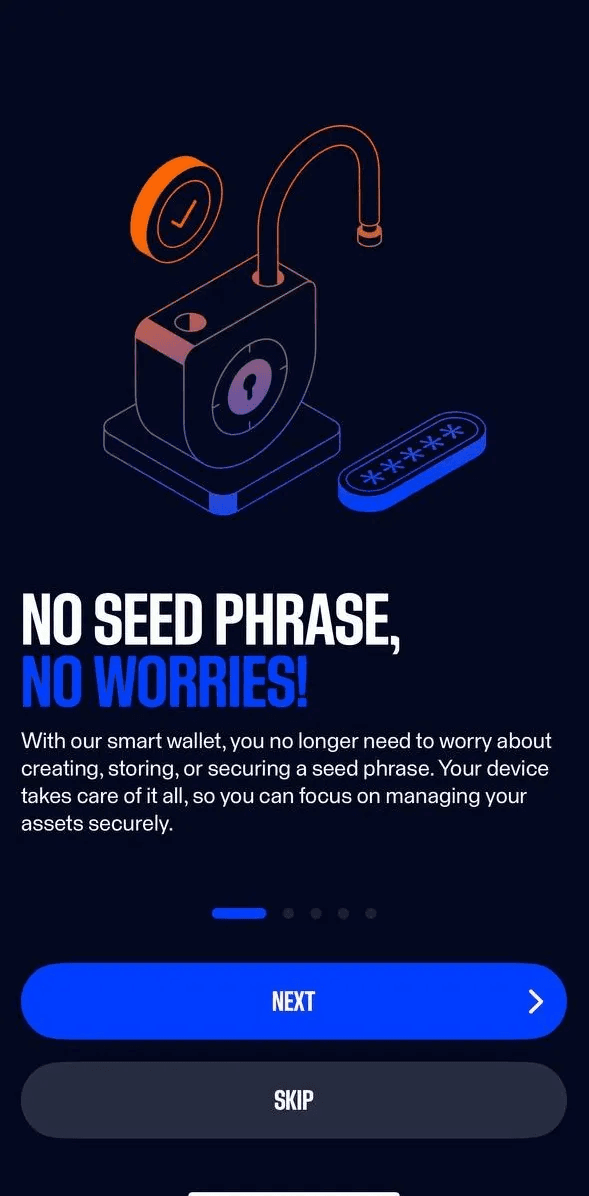
Passkey-based authentication
Historically, self-custody wallets required users to write down a seed phrase, a set of 12 words. You had to store this phrase securely, since anyone with it could control the wallet, and you had to avoid losing it, otherwise you could lose access.
ADI Wallet uses passkey-based authentication via your device’s secure hardware and biometrics, so there is no 12-word seed to write down. Unlocking follows your device settings (FaceID, fingerprint, etc.).
Important note: The passkey is created through your operating system prompt (OS modal) and is unique to ADI. Deleting the passkey or the wallet account permanently removes access.
SuperApp in web3 world
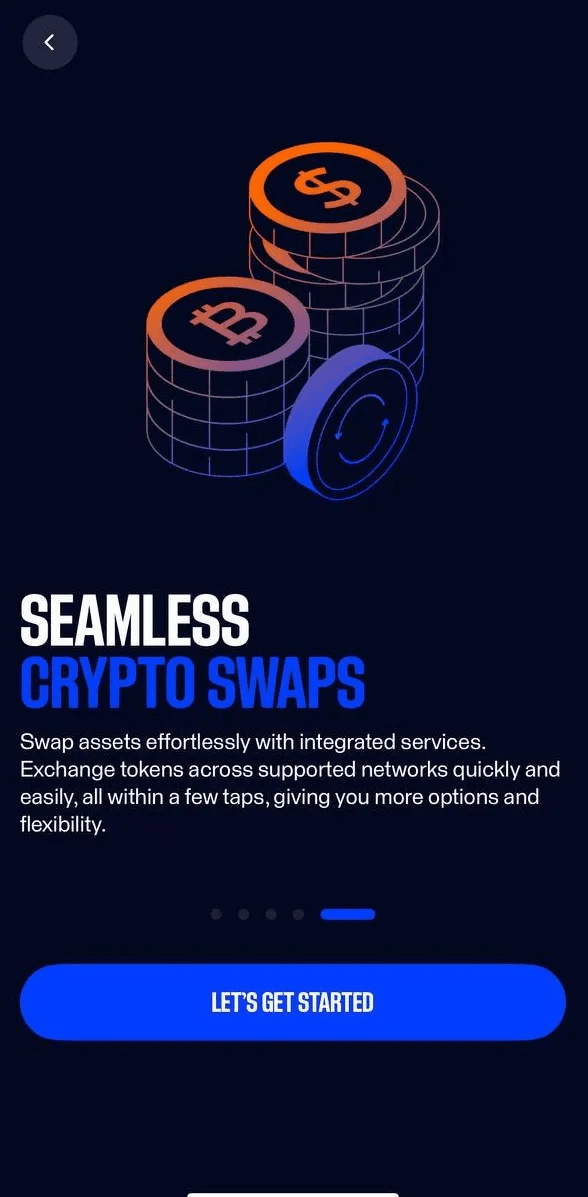
ADI Wallet is designed to be your one-stop access point to Web3, not only token transfers. In the first version, ADI provides exchange and fiat conversions. In the future, this functionality will expand so you can handle most typical Web3 tasks from a single place.
Getting ADI Wallet
ADI Wallet is available for iOS and Android devices. To download it, use the following link: <link is not publicly available at the moment>.
Creating your wallet
This takes just a moment.
- Open the ADI Wallet app.
- Tap Create Wallet.
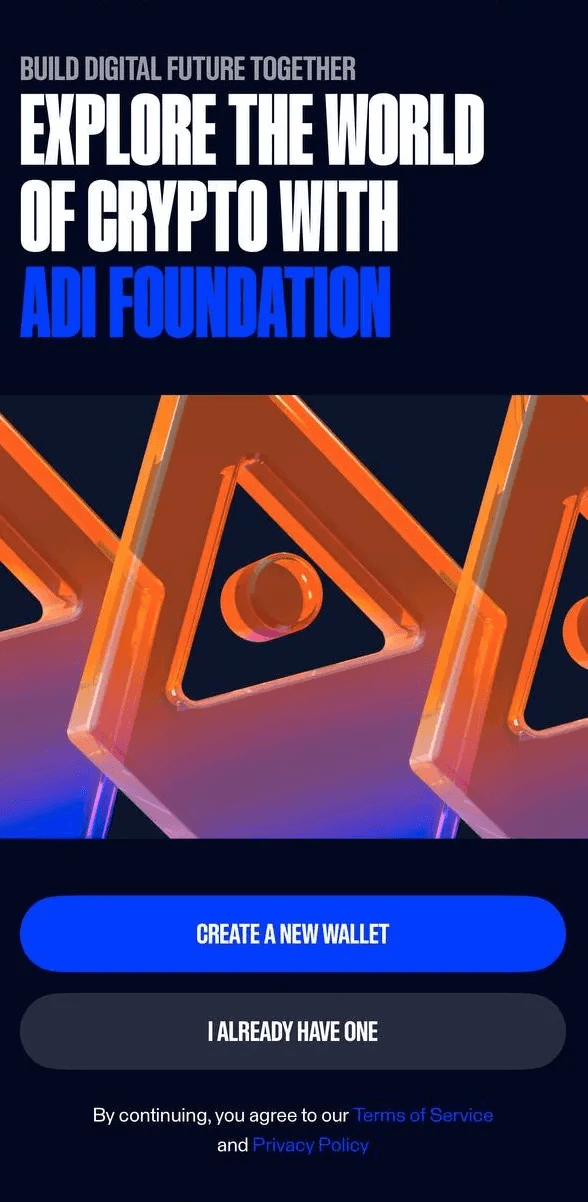
- Approve the passkey prompt on your device, for example Face ID, Touch ID, fingerprint, or device passcode.
That is all you need to do.
Add Funds
There are two ways to add funds to your wallet:
- Receive funds from another address, see the Send/Receive Tokens section.
- Buy tokens with fiat money.
This section describes the second option.
- Tap Buy.
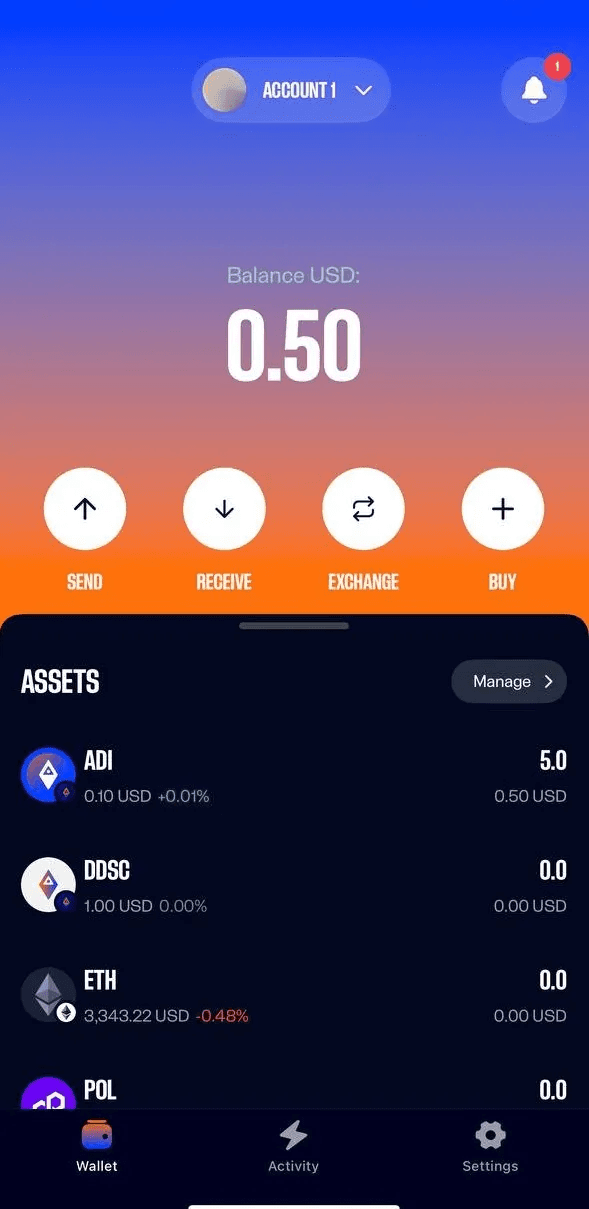
2. Select the asset you want to buy. You can filter assets by network. In this example, we use the Arbitrum network and the USDC token.
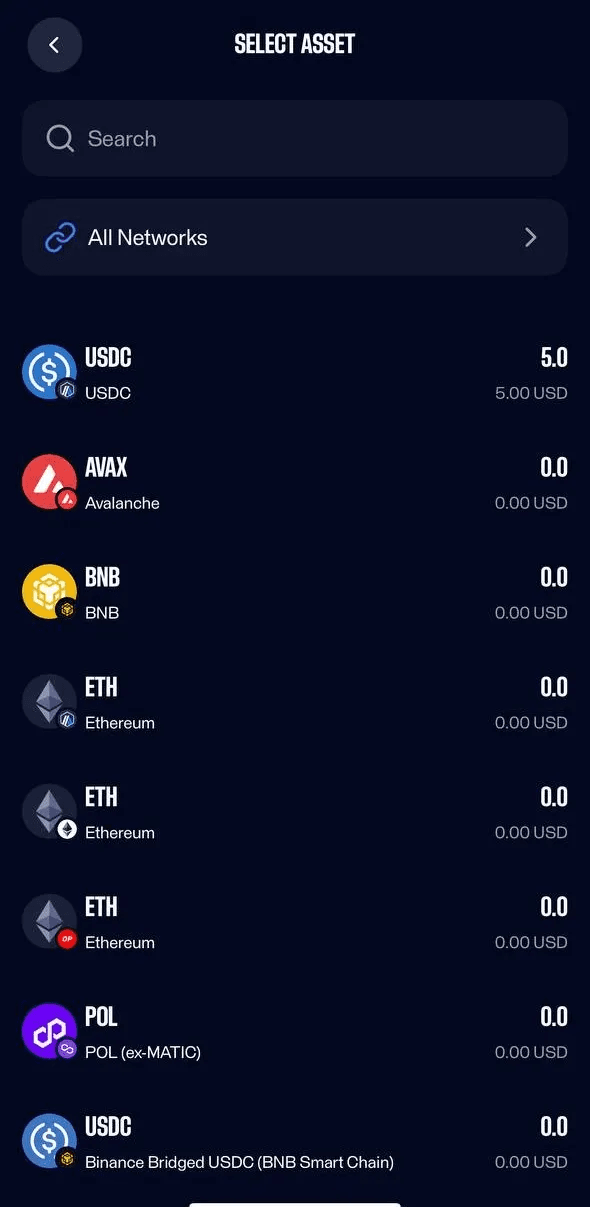
3. Enter the amount you want to buy.
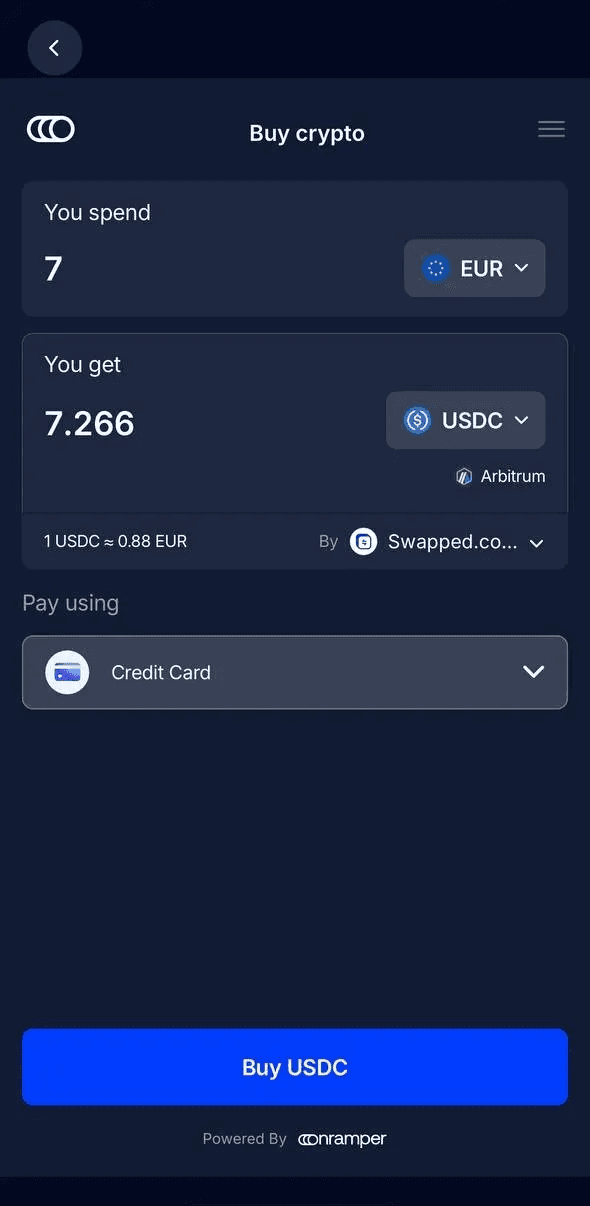
- Optional, choose an on-ramp provider. By default, the provider with the best price is selected.
- Choose a payment method and tap Buy.
- An on-ramp provider may require additional personal information to complete your purchase. If you do not want to provide this information, top up your balance from another wallet, see Send/Receive Tokens.
If your purchase is successful, you will receive a notification, and your assets will be deposited into your wallet shortly.
Send/Receive Tokens
To receive tokens
- Tap Receive.
2. Select the asset you want to receive. You can filter assets by network. In this example, we use the ADI network and ADI token.
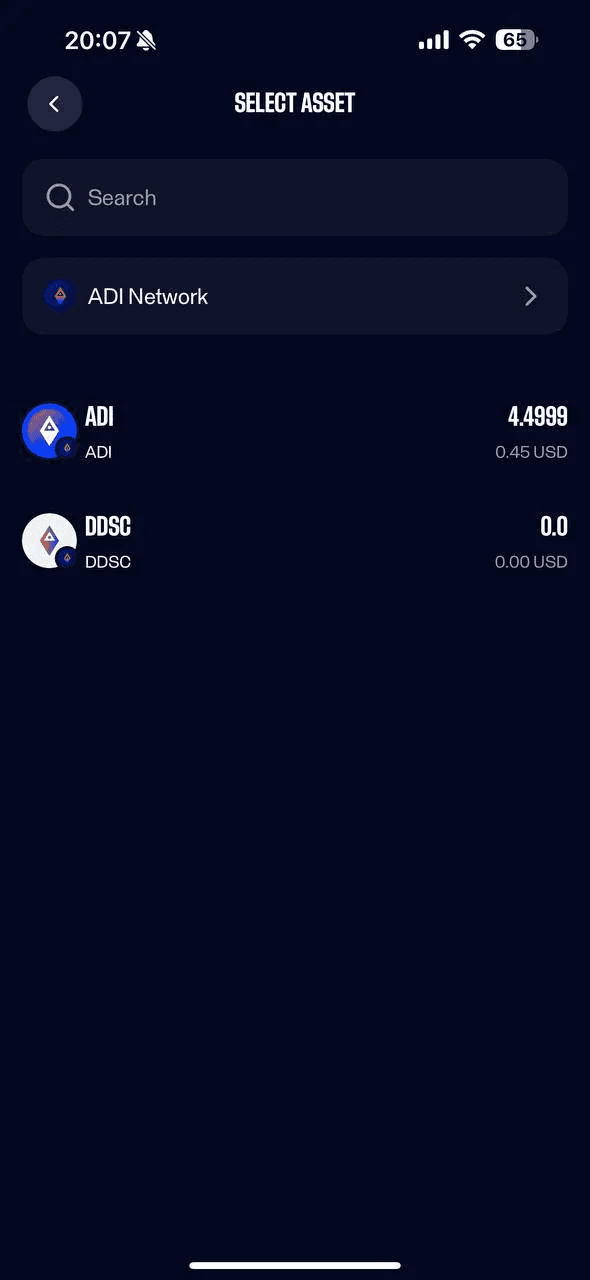
3. The application will show a QR code and your wallet’s public address. It is safe to share this address with anyone.
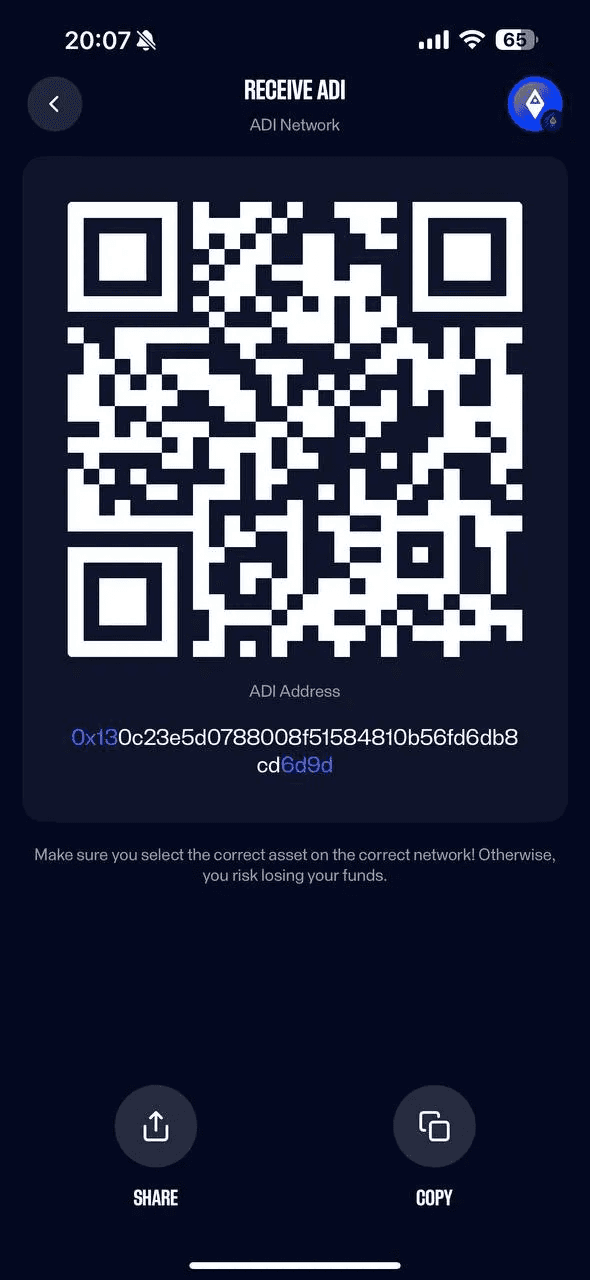
4. You can copy the address or share it using the buttons at the bottom of the screen. Note: The address in the screenshot is for testing only. Do not send tokens to that address.
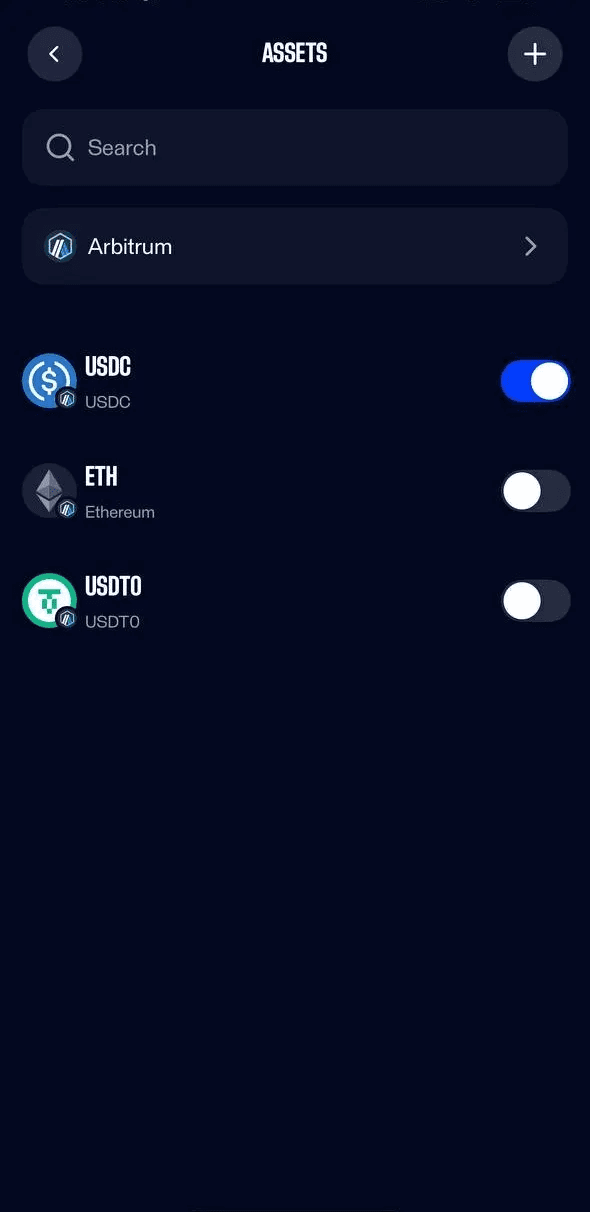
If you do not see the received asset, tap Manage and turn on the toggle for that asset.
To send tokens
- Tap Send.
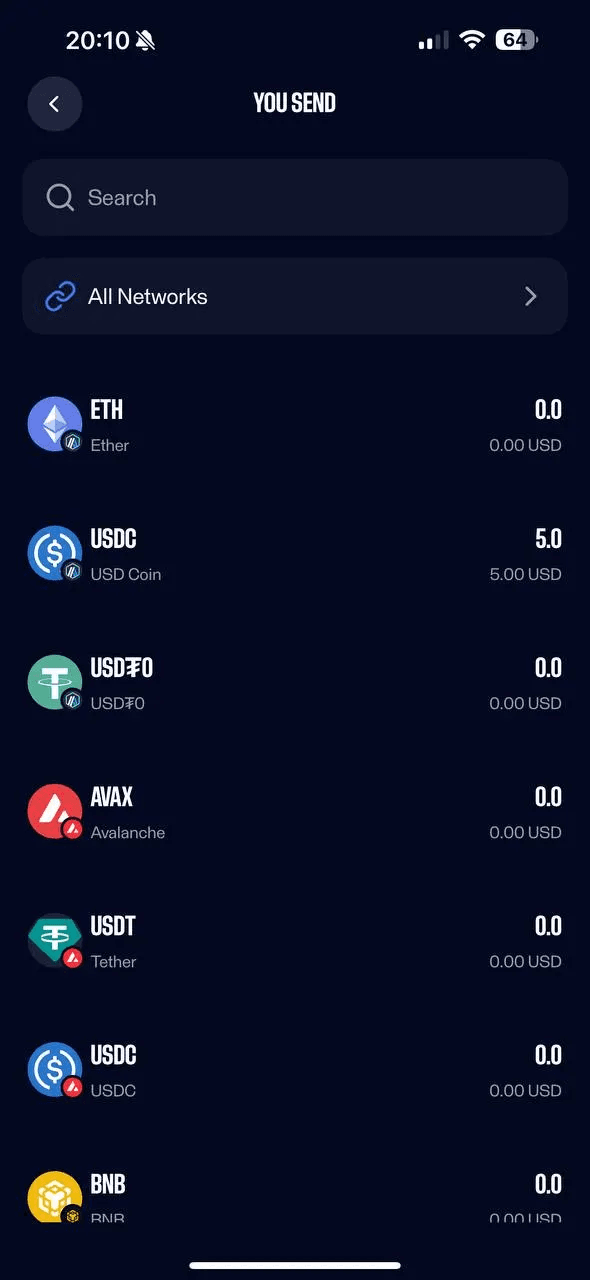
2. Choose the asset you want to send. You can filter assets by network.
3. Paste the recipient’s address, or scan a QR code.
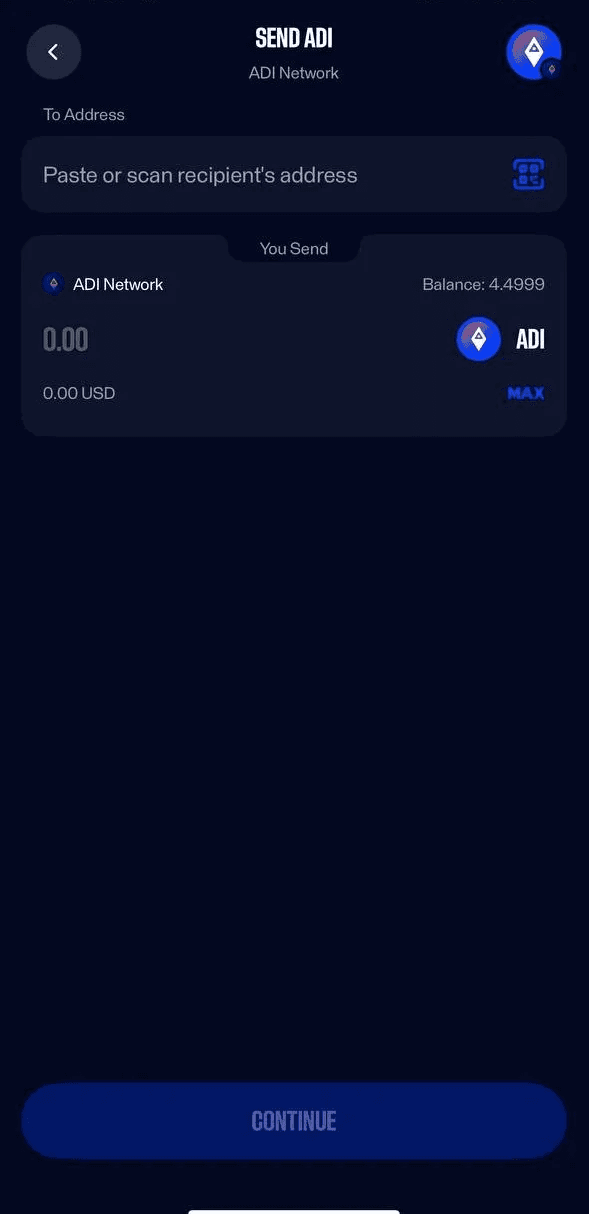
4. Enter the amount you want to send and tap Continue.
5. You will see the confirmation page. Tap Send.
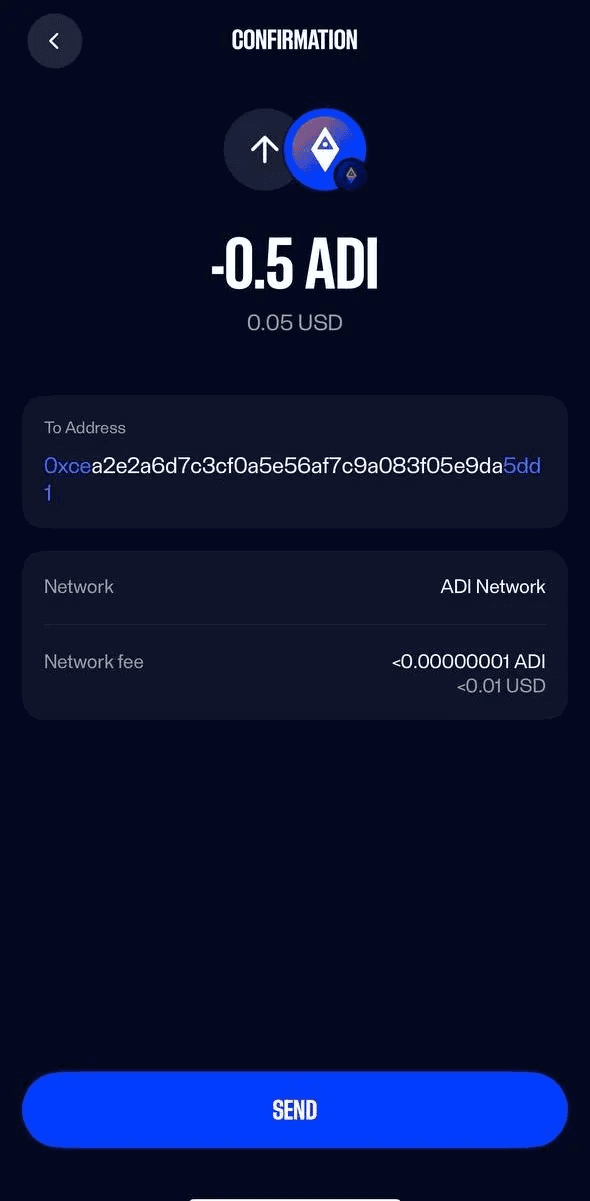
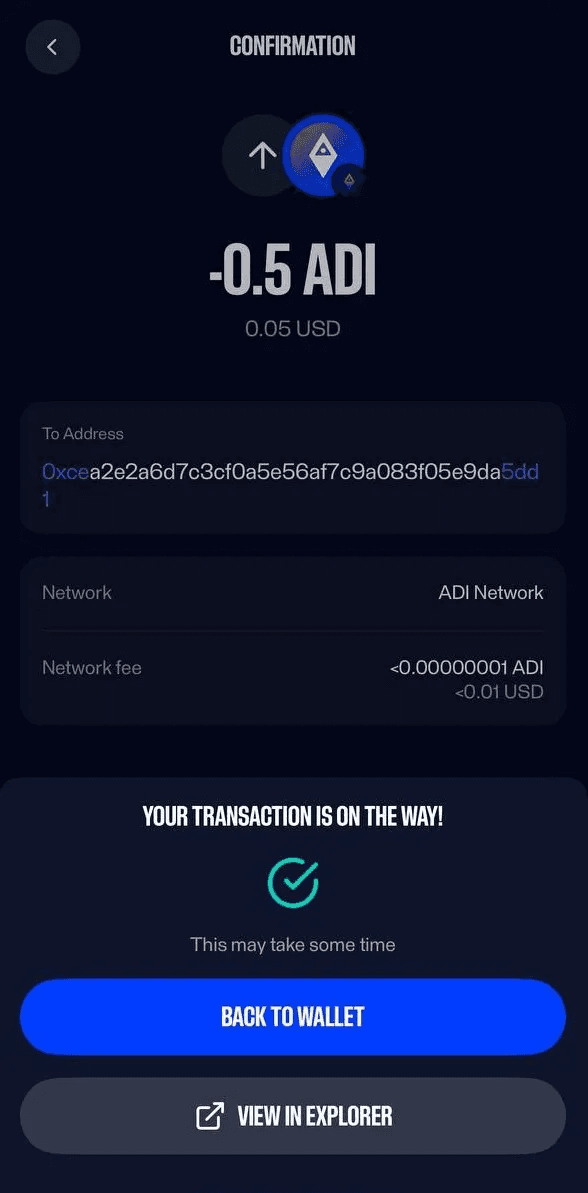
Note: The address in the screenshot is for testing only. Do not send tokens to that address.
6. Complete passkey authentication. Depending on your device, this may be Face ID, Touch ID, fingerprint, or your device passcode.
Exchange Tokens
Exchange is powered by 1inch. You can swap tokens on the same network and across different supported networks.
To exchange tokens:
- On the main screen, tap Exchange.
2. Choose the asset you want to exchange. You can filter assets by network.
3. Choose the asset you want to receive. You can filter assets by network.
4. Enter the amount you want to exchange.
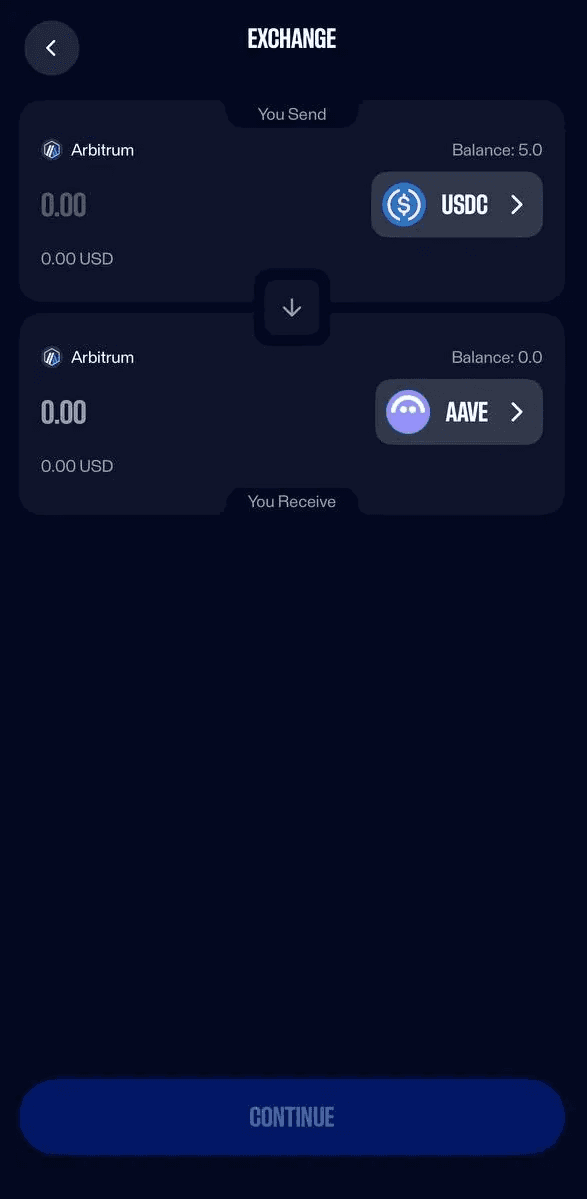
- Tap Continue.
- Complete passkey authentication. Depending on your device, this may be Face ID, Touch ID, fingerprint, or your device passcode.
Multiple accounts
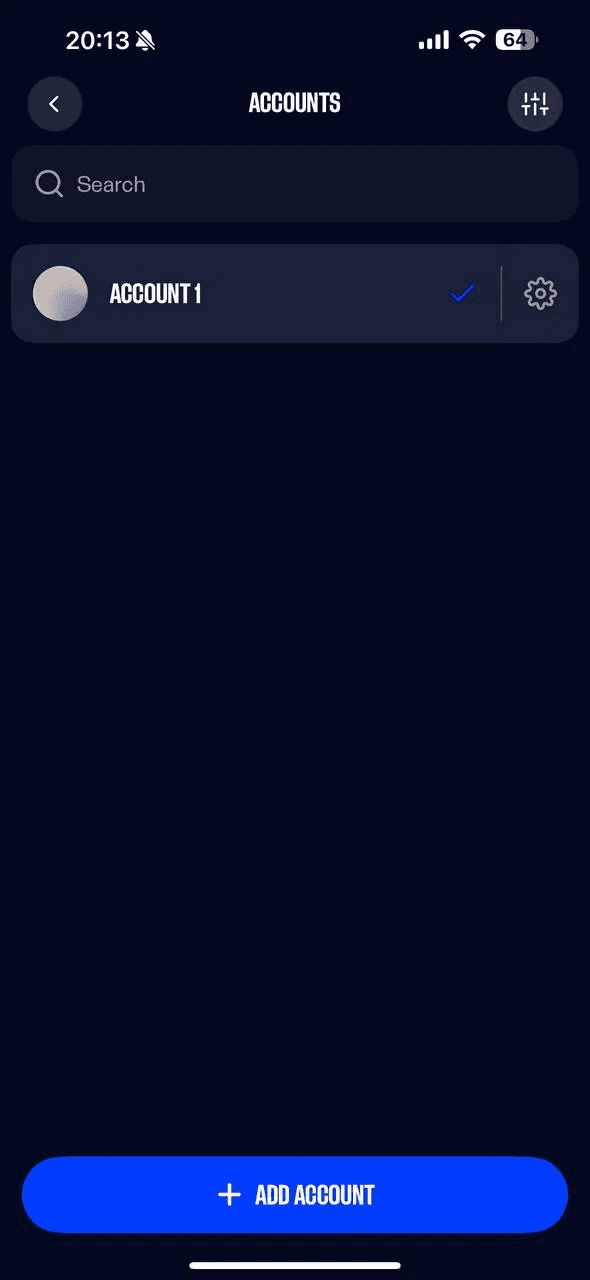
ADI Wallet supports multiple accounts. To switch accounts:
- Tap your account name at the top of the main screen.
- Select another account, or tap Add Account.
Activity History.
You can find your activity history in the Activity tab at the bottom of the screen.
Settings
Find settings in the Settings tab at the bottom of the screen. Key options:
- Notifications, turn them on or off.
- Passcode, set a passcode and choose to use it instead of biometric authentication.
- Sending limits, set a daily limit for outgoing transactions to add extra protection.
Supported Networks
At the moment, ADI Wallet supports the following networks:
- ADI Network
- Arbitrum
- Avalanche C-Chain
- BNB Chain
- Ethereum Mainnet
- Optimism
- Polygon
We are actively adding more networks, and this list will continue to grow.
Support
If you have questions or need help with ADI Wallet, join our Discord community: <link?